


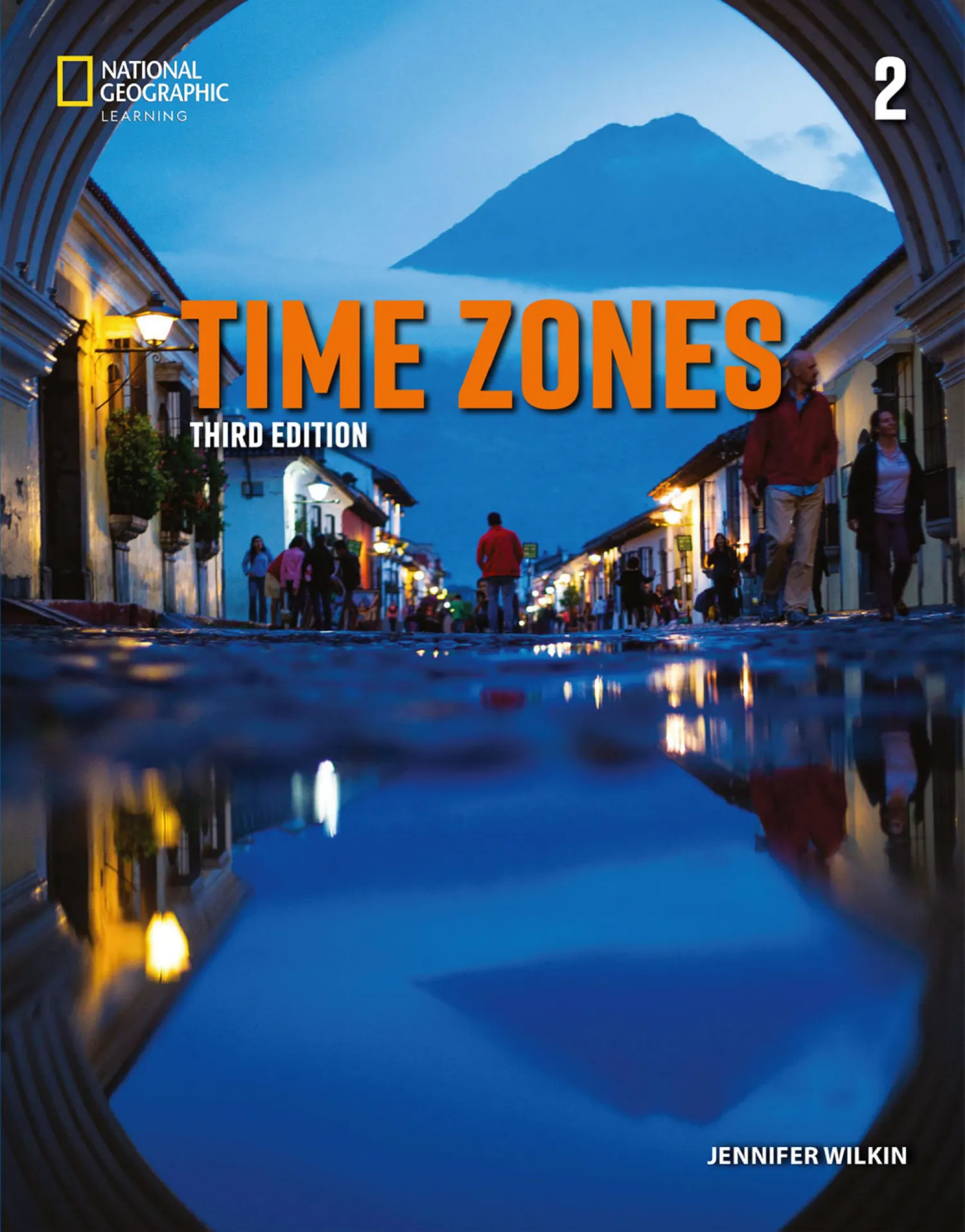
Time Zones 3ed 2 Classroom Presentation Tool | Windows
$10
Time Zones Third Edition Level 2 Classroom Presentation Tool (Windows) is a digital teaching resource designed to help teachers present engaging A1 American English lessons for teenage and secondary-school learners.
Created for use with Time Zones Third Edition Level 2, this classroom presentation software supports visual, focused, and well-organized teaching by bringing digital course content to a compatible Windows computer and classroom display.
- Series: Time Zones, Third Edition
- Level: Level 2
- CEFR level: A1
- Publisher: National Geographic Learning
- Language: American English
- Target learners: Teens / Secondary
- Platform: Windows
- Product type: Digital classroom presentation software
- Physical product: Not included
Time Zones Third Edition Level 2 Classroom Presentation Tool (Windows) is a digital teaching resource designed to help teachers deliver visually engaging, focused, and well-organized A1 American English lessons for teenage and secondary-school learners.
Created for use with Time Zones Third Edition Level 2 from National Geographic Learning, the Classroom Presentation Tool supports teacher-led instruction by bringing digital course content to a compatible Windows computer and classroom display.
Time Zones Third Edition combines amazing photography, updated videos, global topics, inspiring stories of global citizens, teacher-tested language lessons, and carefully scaffolded practice. The Classroom Presentation Tool helps teachers bring this visually rich learning experience to the front of the classroom.
Product Overview
- Product: Time Zones Third Edition Level 2 Classroom Presentation Tool (Windows)
- Series: Time Zones, Third Edition
- Level: Level 2
- CEFR level: A1
- Publisher: National Geographic Learning
- Language: American English
- Target learners: Teens / Secondary
- Platform: Windows
- Product type: Digital classroom presentation software
- Delivery: Digital download
- Physical shipping: Not included
What Is the Time Zones Third Edition Classroom Presentation Tool?
The Classroom Presentation Tool, commonly abbreviated as CPT, is designed to support teacher-led digital presentation of course content during English lessons.
Instead of depending exclusively on printed materials, teachers can use classroom presentation software to bring lesson content to a computer screen, projector, interactive whiteboard, or other compatible classroom display.
This creates a shared visual focus so that the entire class can follow the same page, activity, image, question, or language point together.
The exact interface, content, multimedia, annotation tools, answer functions, interactive activities, and other features available may depend on the specific software build supplied with this product.
About Time Zones Third Edition
Time Zones Third Edition is an American English course developed for teenage learners who are curious about the world and need a structured pathway toward increasingly confident communication.
The series combines powerful photography, updated video content, global themes, stories of people from around the world, and carefully scaffolded language practice.
These elements help connect English learning with real places, people, cultures, nature, science, technology, history, and everyday experiences.
Where Are We Going Next?
The spirit of Time Zones Third Edition can be captured in one motivating question: Where are we going next?
The course encourages teenage learners to look beyond the classroom, discover new places, explore different cultures, meet inspiring people, and use English as a practical tool for understanding and communicating with the wider world.
For A1 learners, strong photography, visual context, structured language practice, and multimedia support can make unfamiliar English easier to understand and more meaningful.
Time Zones Third Edition Level 2 at A1
Time Zones Third Edition Level 2 is positioned at CEFR A1 and is designed for beginning learners developing elementary English communication skills.
At A1 level, learners begin to understand and use familiar everyday expressions, exchange basic personal information, follow simple spoken language, read short accessible texts, and produce short spoken and written responses.
The Classroom Presentation Tool can support this development by providing a shared visual reference point for vocabulary, grammar, listening, pronunciation, reading, speaking, review, and whole-class interaction.
Designed for Teenage and Secondary Learners
Teenage learners need content that is linguistically accessible without feeling childish.
Time Zones addresses this need through powerful photography, global topics, video, inspiring stories, and real-world contexts that can appeal to teenage curiosity while supporting systematic language development.
The Classroom Presentation Tool can strengthen this experience by displaying course content on a larger screen and helping teachers direct attention toward important images, language, activities, and learning objectives.
Designed for Teacher-Led Classroom Instruction
This product is primarily designed as a teacher-facing classroom presentation resource.
It can be particularly useful when the teacher wants the entire class to focus on the same content at the same time.
Instead of repeatedly asking students to locate a page, image, question, or exercise, the teacher can use a shared display to guide the class through each stage of the lesson.
Bring Course Content to the Classroom Screen
A central advantage of classroom presentation software is the ability to bring course content to the front of the classroom.
This can be useful when:
- Introducing a new unit or lesson
- Presenting photography and global topics
- Teaching new vocabulary
- Explaining grammar and language structures
- Giving instructions
- Guiding reading activities
- Supporting listening practice
- Practicing pronunciation
- Using available multimedia
- Checking answers
- Leading classroom discussion
- Reviewing previous content
Create a Shared Visual Focus
A classroom can become difficult to manage when students are looking at different pages, screens, or activities.
The Classroom Presentation Tool provides a shared visual reference point that can help the teacher keep the whole class focused on the same content.
This is particularly valuable for A1 learners, who often need clear step-by-step guidance, visual support, repeated modeling, and manageable instructions.
Support for Visual Learning
Visual content plays an important role in Time Zones Third Edition.
Photography can introduce topics, provide context, stimulate curiosity, support vocabulary learning, encourage prediction, and create opportunities for speaking.
Teachers can use displayed images to:
- Introduce a new topic
- Activate prior knowledge
- Present new vocabulary
- Ask prediction questions
- Encourage close observation
- Build curiosity
- Support listening and reading comprehension
- Generate speaking activities
- Invite personal responses
Learning Through Amazing Photography
Powerful photography is a defining feature of the Time Zones learning experience.
For A1 learners, photographs can provide immediate contextual clues about people, places, animals, objects, actions, activities, and situations.
A teacher can use these visual clues to introduce vocabulary, check understanding, encourage descriptions, create simple questions, and support communication.
When presented on a larger classroom screen, images can become a stronger focal point for whole-class interaction.
Support for Vocabulary Teaching
Vocabulary development is central at A1 because learners need a growing bank of familiar words and expressions before they can communicate with greater confidence.
The Classroom Presentation Tool can support vocabulary teaching by helping the teacher focus attention on relevant images, words, expressions, or contexts.
Teachers can use displayed course content to:
- Introduce new words
- Connect vocabulary with visual meaning
- Model pronunciation
- Ask learners to identify objects, people, or places
- Practice repetition
- Review previously learned vocabulary
- Encourage short personalized responses
- Create quick review activities
Support for Grammar Presentation
A1 learners benefit from clear grammar models and carefully controlled practice.
The Classroom Presentation Tool can help teachers keep the whole class focused on the same sentence, example, chart, question, or exercise while explaining a language pattern.
This shared approach can make grammar explanations easier to follow and reduce confusion about which example the teacher is discussing.
Teachers can move from clear presentation to guided practice and then toward simple communicative use.
Support for Listening Activities
Listening development requires concentration, clear instructions, and appropriate preparation.
When relevant audio is available within the supplied software build, classroom presentation can make listening lessons easier to organize.
Teachers can prepare students before listening by introducing the context, reviewing key vocabulary, setting a clear purpose, and directing attention to relevant questions or visual clues.
After listening, the same shared display can support comprehension checking, language review, pronunciation work, and speaking follow-up.
The exact audio content and playback functions available depend on the specific software build included with this product.
Support for Video-Based Learning
Video can be particularly engaging for teenage learners because it combines spoken English with people, settings, actions, gestures, facial expressions, and visual context.
When video content is available in the supplied Classroom Presentation Tool, teachers can use it to support:
- Prediction
- Vocabulary development
- Listening comprehension
- Observation
- Pronunciation awareness
- Speaking prompts
- Simple discussions
- Cultural awareness
- Review activities
- Follow-up writing
The exact video content and functionality available depend on the specific software package supplied with this product.
Support for Pronunciation Practice
A1 learners need frequent exposure to spoken English and clear pronunciation models.
Where appropriate audio or multimedia is included, teachers can help learners hear and repeat words, phrases, questions, and sentences.
Whole-class presentation can support coordinated repetition, individual practice, pair work, listening discrimination, and review.
Students can gradually develop greater awareness of English sounds, word stress, sentence rhythm, phrasing, and basic intonation.
Support for Speaking Confidence
A1 learners are beginning to move beyond isolated words and memorized expressions toward more meaningful communication.
A shared visual display can provide useful support for speaking activities.
Teachers can ask learners to:
- Name familiar objects
- Identify people and places
- Answer simple questions
- Ask basic questions
- Describe a photograph
- Talk about familiar topics
- Express simple preferences
- Give basic personal information
- Practice short conversations
- Compare simple ideas or choices
Support for Reading Activities
At A1 level, learners develop the ability to understand short texts containing familiar language and straightforward information.
A Classroom Presentation Tool can help teachers guide learners through reading step by step.
The teacher can direct attention toward particular words, sentences, images, questions, or parts of a text and support:
- Prediction before reading
- Vocabulary preparation
- Reading for the main idea
- Finding specific information
- Checking comprehension
- Discussing visual clues
- Reviewing useful language
- Following up with speaking or writing
Support for Whole-Class Answer Checking
Checking answers can become more focused when everyone is looking at the same activity.
Teachers can invite students to give answers, compare responses, explain choices, identify mistakes, and correct work together.
This can turn correction into an active learning stage instead of simply reading answers aloud.
Any built-in answer-display functions depend on the specific software build supplied with the product.
Support for Review and Revision
The Classroom Presentation Tool can also support systematic review.
Teachers can return to earlier content for:
- Vocabulary revision
- Grammar review
- Listening repetition
- Pronunciation practice
- Visual recall activities
- Reading review
- Speaking revision
- Pre-test preparation
- End-of-unit consolidation
Support for Projectors and Classroom Displays
A classroom presentation tool can be particularly useful when a compatible Windows computer is connected to a projector, large monitor, classroom display, or interactive whiteboard.
This allows course content to become a clear shared focal point at the front of the classroom.
Actual display performance depends on the computer, Windows configuration, screen resolution, drivers, available connections, adapters, projector or display hardware, and the specific software build.
Encouraging More Heads-Up Learning
When teachers can access course content from one classroom presentation environment, they may spend less time switching between printed materials, folders, media players, and separate applications.
This can support more heads-up teaching, where learners focus more on the teacher, their classmates, and shared lesson content.
More visual focus can create additional opportunities for questioning, observation, repetition, eye contact, pair work, and classroom communication.
Exploring the World Through English
Time Zones encourages learners to see English as more than a school subject. English becomes a tool for exploring people, places, cultures, environments, discoveries, experiences, and ideas.
The Classroom Presentation Tool can help bring these global themes to the classroom screen and create opportunities for curiosity, observation, vocabulary learning, comprehension, and communication.
Stories of Global Citizens
Stories about people from around the world can make language learning more human, memorable, and relevant.
Teenage learners can encounter individuals with different backgrounds, interests, experiences, ideas, challenges, and achievements while developing their English.
Teachers can use course content and available multimedia as starting points for vocabulary work, listening, reading, comprehension, speaking, reflection, and classroom interaction.
Carefully Scaffolded Learning
A1 learners still need considerable support as they build elementary English skills.
Effective scaffolding can include visual clues, clear models, examples, repetition, controlled practice, guided activities, and gradual increases in difficulty.
A Classroom Presentation Tool can help teachers manage this process by keeping the class focused on one clear stage at a time.
American English
Time Zones Third Edition is an American English course.
Learners are exposed to American English language conventions and pronunciation models throughout the course.
This makes the series particularly suitable for schools, language centers, tutors, and programs following an American English curriculum.
Benefits for Teachers
- Digital classroom presentation support for Time Zones Third Edition Level 2
- Designed for A1 teenage and secondary-school learners
- Helps establish a shared classroom focus
- Supports visual presentation of course content
- Useful with compatible projectors and classroom displays
- Can support vocabulary presentation and review
- Can support grammar explanation
- Can support reading and speaking activities
- Can support listening and pronunciation where relevant media is included
- Can support video-based teaching where relevant video is included
- Useful for whole-class answer checking where corresponding functions are available
- Supports revision and lesson review
- Designed for use on compatible Windows computers
Benefits for Learners
- Clear shared visual focus during lessons
- Age-appropriate content for teenage learners
- Powerful photography and global topics
- Support for A1 vocabulary development
- Support for grammar learning
- Opportunities for listening and pronunciation practice
- Visual support for reading comprehension
- More opportunities for whole-class interaction
- Support for speaking confidence
- American English language model
Suitable For
- Teachers using Time Zones Third Edition Level 2
- A1 English classes
- Teenage and secondary-school learners
- Schools and language centers
- Private English tutors
- American English programs
- Windows-based classroom computers
- Classrooms using projectors or large displays
- Teachers seeking more visually focused lessons
- Programs using multimedia-supported instruction
Suggested Classroom Workflow
- Prepare the classroom computer: Open the software and check the classroom display before teaching.
- Introduce the topic: Use available photography and visual content to activate curiosity and prior knowledge.
- Preview key vocabulary: Introduce important words and expressions.
- Model the language: Give clear examples before asking learners to respond independently.
- Guide the main activity: Keep the whole class focused on the same content or task.
- Use available audio: Develop listening and pronunciation where relevant media is included.
- Use available video: Add visual context where included in the software build.
- Practice speaking: Use photographs, questions, and activities as communication prompts.
- Guide reading: Focus attention on important information and comprehension questions.
- Check understanding: Review answers and clarify difficulties.
- Recycle language: Return to important vocabulary and structures regularly.
Windows Compatibility Notice
This product is intended for use on Windows desktop and laptop computers.
Successful installation and operation may depend on multiple technical factors, including:
- Windows edition and version
- 32-bit or 64-bit architecture where relevant
- Processor architecture
- Available memory
- Available storage space
- Screen resolution and display scaling
- User permissions and administrator access
- Security software and antivirus settings
- Required Windows system components
- Graphics and media capabilities
- The specific Classroom Presentation Tool software build
Compatibility with every Windows version, computer configuration, or future operating system is not guaranteed.
No specific claim of Windows 11 compatibility should be assumed unless explicitly stated in the product details or confirmed for the exact software build and computer environment.
Unsupported Native Platforms
This product is specifically offered as Windows software. Native compatibility should not be assumed for:
- macOS
- iOS or iPadOS
- Android
- ChromeOS
- Linux
- Mobile phones
- Smart TVs
Use through a virtual machine, compatibility layer, emulator, or another non-native environment may or may not work and is not guaranteed.
Digital Product Notice
This is a digital software product. No printed Student’s Book, Workbook, Teacher’s Book, physical disc, access card, or other physical item will be shipped.
The product includes only the Windows Classroom Presentation Tool package specifically offered in the product details.
No additional course component should be assumed unless explicitly listed.
Online Access and Digital Services
No Spark platform access, activation code, online account, interactive eBook, subscription, online practice, cloud service, or other online product should be assumed unless explicitly included in the product details.
This product is offered as a downloadable Windows classroom presentation software package.
Important Note About Classroom Presentation Tool Features
Classroom Presentation Tool features can vary between series, editions, levels, software versions, and distribution builds.
Functions such as embedded Student’s Book pages, Workbook pages, audio, video, answer display, annotations, zoom, interactive activities, or other presentation tools should be considered available only when included in the specific software build supplied with this product.
No feature that is not explicitly listed should automatically be assumed.
Frequently Asked Questions
What is Time Zones Third Edition Level 2 Classroom Presentation Tool?
It is a digital classroom presentation resource designed to support teachers using Time Zones Third Edition Level 2.
What CEFR level is Time Zones Third Edition Level 2?
Time Zones Third Edition Level 2 is positioned at CEFR A1.
Who is Time Zones Third Edition Level 2 designed for?
The course is designed primarily for teenage and secondary-school English learners developing beginning-level communication skills.
Is Time Zones Third Edition American or British English?
Time Zones Third Edition is an American English course.
Which operating system is this product for?
This product is specifically offered for Windows desktop and laptop computers.
Is Windows 11 compatibility guaranteed?
No. Compatibility can depend on the exact software build, Windows version, processor architecture, required system components, security settings, permissions, and other technical factors. Windows 11 compatibility should not be assumed unless explicitly confirmed for the specific software package and computer environment.
Can I use this software on macOS?
Native macOS compatibility is not included or guaranteed. This product is offered as Windows software.
Can I use it on an iPad, iPhone, or Android device?
No native support should be assumed for iOS, iPadOS, or Android. The product is intended for compatible Windows computers.
Does it include the printed Student’s Book?
No. No printed book or other physical item is included.
Does it include Spark platform access?
No Spark platform access, online account, activation code, subscription, or other online service should be assumed unless explicitly stated in the product details.
Does it require an internet connection?
This depends on the exact software build and any technical requirements associated with installation or operation. Offline capability should not be assumed beyond what the supplied software itself supports.
Does the Classroom Presentation Tool include audio and video?
The exact audio, video, interactive content, and presentation features available depend on the specific software build supplied with this product. No unlisted component should automatically be assumed.
Can teachers use it with a projector?
A compatible Windows computer can generally be connected to a projector or classroom display, subject to the computer, operating system, drivers, available ports, adapters, display configuration, and classroom hardware.
Who is the author of Time Zones 2, Third Edition?
Time Zones 2, Third Edition is authored by Jennifer Wilkin.
Is this a physical product?
No. This is a digital software product delivered electronically. No physical disc, printed book, access card, or other physical item will be shipped.
A Powerful Classroom Companion for Time Zones Third Edition Level 2
Time Zones Third Edition Level 2 Classroom Presentation Tool (Windows) helps teachers bring visually rich A1 course content to the classroom screen and create more focused, engaging, and organized English lessons.
For teenage learners developing elementary American English skills, a shared visual classroom environment can support vocabulary, grammar, listening, pronunciation, speaking, reading, review, and whole-class interaction.
Combined with the global spirit of Time Zones Third Edition—amazing photography, updated videos, inspiring stories, and carefully scaffolded language learning—the Classroom Presentation Tool can help teachers create lessons that encourage learners to look beyond the classroom and ask one motivating question: Where are we going next?
Time Zones 3ed Classroom Presentation Tool Demo (Offline iTools)
NGL Time Zones 3rd Edition Pdf Presentation Tools (Pre A1 / B1)
Related products
Classroom Presentation Tool
Classroom Presentation Tool

Classroom Presentation Tool

Classroom Presentation Tool
Our World Classroom Presentation Tool Windows – All 7 Levels (2ed) AME
Classroom Presentation Tool

Classroom Presentation Tool
Impact Foundation Classroom Presentation Tool – Windows (American)
Classroom Presentation Tool
Classroom Presentation Tool
Impact Foundation Classroom Presentation Tool – Windows (British)