
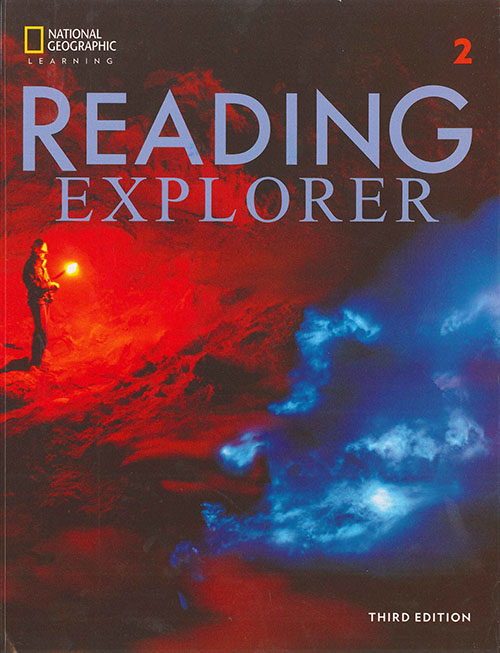
Reading Explorer 2 Classroom Presentation Tool – Windows (3ed)
$6
Reading Explorer 2 Classroom Presentation Tool (3rd Edition) for Windows is an interactive teaching software that lets you present Level 2 lessons on screen with smooth navigation and classroom-friendly features—ideal for teachers using a Windows PC, projector, or interactive whiteboard.
Reading Explorer 2 Classroom Presentation Tool – Windows (3rd Edition) is a professional interactive presentation software designed to support Reading Explorer 2 (3rd Edition) lessons in a modern classroom. It helps teachers present content clearly on screen and manage lessons more efficiently—without constantly switching between PDFs, audio folders, and separate files.
Made for Windows, this tool works perfectly with a laptop/PC connected to a projector, TV, or interactive whiteboard. It improves lesson flow, keeps learners focused, and supports a more engaging teaching style for reading and vocabulary development.
Why use the Classroom Presentation Tool?
- Teach directly from the screen: display lesson content clearly for the whole class.
- Smooth navigation: move between pages and activities quickly during teaching.
- Better engagement: a clean on-screen format helps students follow reading tasks more easily.
- Classroom-ready: ideal for English centers, schools, and tutoring classes.
Who this is for
- Teachers using Windows PCs/laptops
- English centers teaching Reading Explorer 2 (3rd Edition)
- Tutors who want a presentation-based tool for reading lessons
System requirements (general)
- Windows PC/Laptop
- Projector / TV / Interactive Whiteboard (recommended)
- Speakers/headphones (for audio use)
Tip: Pair this Classroom Presentation Tool with Reading Explorer 2 PDFs/Resources (Student’s Book, Answer Key, audio, video, Teacher’s Book) for a complete teaching solution.
Reading Explorer 3ed Classroom Presentation Tool Demo (Offline iTools)
Reading Explorer 3rd Edition Pdf Classroom Presentation Tool (A2 / C1)
Related products

Classroom Presentation Tool

Classroom Presentation Tool

Classroom Presentation Tool

Classroom Presentation Tool
Classroom Presentation Tool
Classroom Presentation Tool
Classroom Presentation Tool

Classroom Presentation Tool