
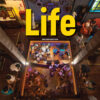


Life 2nd Edition 3 Classroom Presentation Tool – Windows
$8
Teach smarter with Life 2nd Edition 3 Classroom Presentation Tool (Windows). Present Life 2e Level 3 lessons on screen with smooth navigation and classroom-friendly tools—ideal for schools, language centers, and online/offline teaching using a Windows PC.
Life 2nd Edition 3 Classroom Presentation Tool – Interactive classroom teaching on Windows
Life 2nd Edition 3 Classroom Presentation Tool (Windows) is a digital teaching solution created for delivering Life 2e Level 3 lessons in a clear, engaging way. Use your Windows computer to display course content on a projector/TV or via screen sharing for online classes. This makes lesson delivery faster, more organized, and more interactive than using printed materials alone.
Whether you teach in a classroom or online, the presentation format helps students follow along easily while you guide practice and focus attention on key language points.
What you can do with the Classroom Presentation Tool
- Display Life 2e Level 3 content on screen for whole-class teaching
- Navigate quickly between units, pages, and lesson sections
- Support clearer explanations with large, easy-to-see visuals
- Keep students engaged with interactive, presentation-based lessons
- Teach online or offline on a Windows PC (projector or screen share)
Who is this for?
- Teachers using Life 2nd Edition Level 3
- Schools/language centers that want interactive classroom presentation
- Tutors teaching with a Windows laptop/PC in class or online
System requirement
- Compatible with Windows (PC/laptop)
Note: This product is a Classroom Presentation Tool for Windows (digital teaching software) for teaching Life 2e Level 3.
Life 2nd Edition Classroom Presentation Tool (Offline iTools)
Life 2nd Edition Pdf Classroom Presentation Tool AME BRE (A1 / B2)
Related products

Classroom Presentation Tool
Classroom Presentation Tool

Classroom Presentation Tool

Classroom Presentation Tool
Classroom Presentation Tool

Classroom Presentation Tool
Our World Starter Classroom Presentation Tool Windows (2ed) AME

Classroom Presentation Tool
Classroom Presentation Tool